

Appearance
Spaces & Group Chat
Welcome to the core organizational feature of your community: Spaces. A Space is a self-contained hub where you can bring members together to focus on a specific topic, project, or interest group.
Think of Spaces as the rooms of your community house. You can create different rooms for different purposes, each with its own content, members, and privacy settings.
What You Can Do with Spaces
- Structure Your Community: You can create an unlimited number of Spaces to organize conversations. For example, you could have a "General Discussion" space, a "Product Feedback" space, and a private "Staff Only" space.
- Control Access: Every Space can be set to Public, Private, or Secret, giving you precise control over who can see and interact with the content inside.
- Enable Real-Time Chat: For more dynamic conversations, you can enable a dedicated Group Chat room inside any Space, allowing members to communicate instantly.
In the following articles, we will walk you through how to create and manage every aspect of your Spaces.
Inside a Space: the Activity Feed
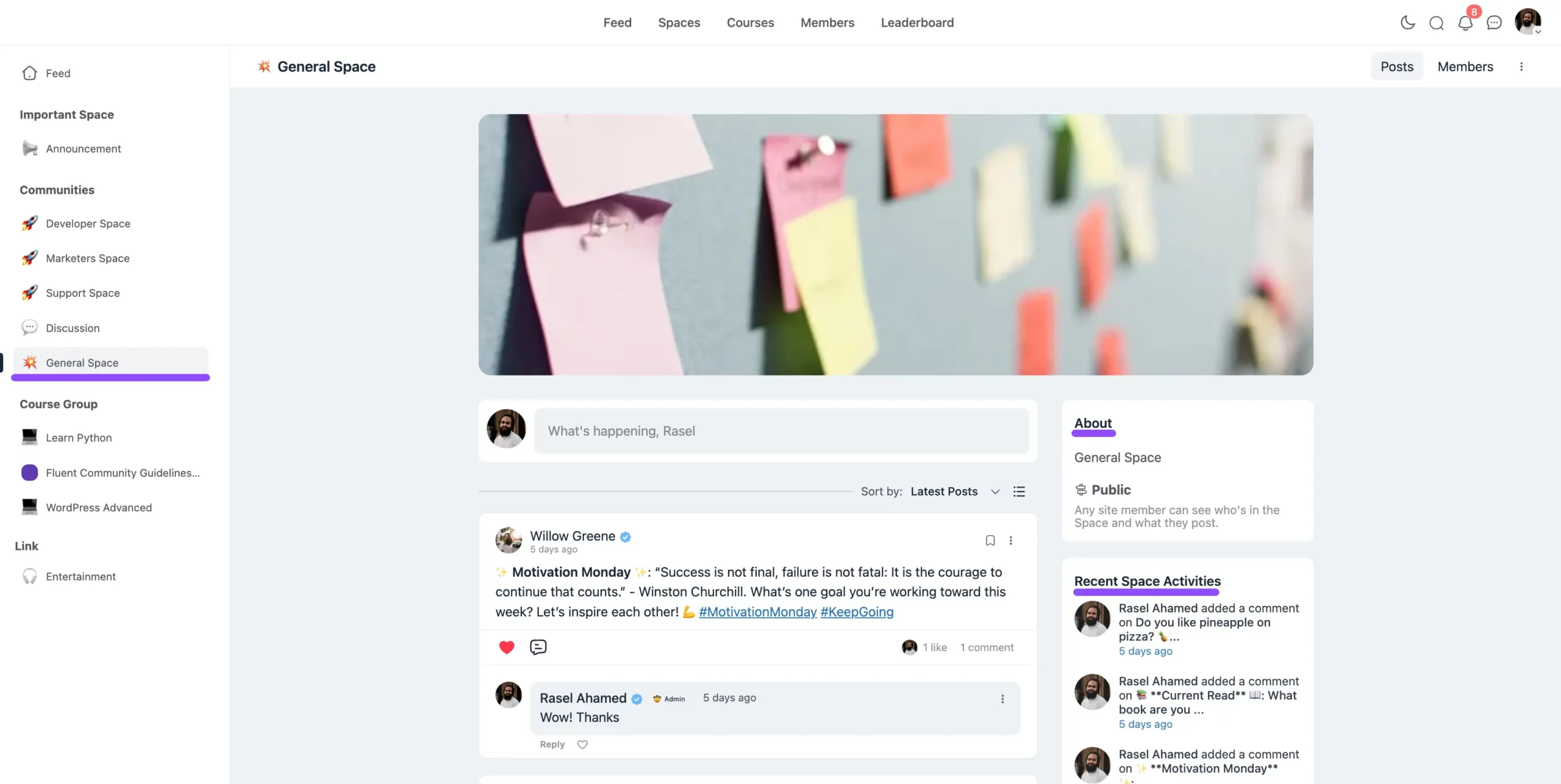
Once a member opens a Space they've joined, the Activity Feed is what they land on — a chronological list of everything happening inside it. Members can post updates, comment and react, vote in polls, and filter the feed down to a specific kind of content.
Two things worth knowing about the feed that aren't obvious at a glance:
- Mentions & Hashtags: Members use
@mentionsto tag someone directly and hashtags to categorize a post so it can be found alongside related content. - The right sidebar: An About section describes the Space, and Recent Space Activities lists its latest posts and activity. Both are toggled in Space Settings & Privacy.
To change how the feed is laid out, see Feed Views. To change the order posts appear in, see Feed Sorting.
Get Started:
- Creating a New Space - Set up your first space
- Space Settings & Privacy - Control access and visibility
- Space Groups - Organize related Spaces into sidebar groups
- Adding Members to a Space - Bring people in
- Posts & Discussions - Enable member engagement