

Appearance
Connecting with Fluent Forms
Fluent Forms integrates with FluentCommunity, making it easy to add members to your Spaces or Courses. You can also collect payments for your Spaces and Courses using this integration. This guide shows you how to integrate and make the most of your community features.
TIP
Make sure to install the free version of Fluent Forms to set up this integration.
FluentCommunity Module in Fluent Forms
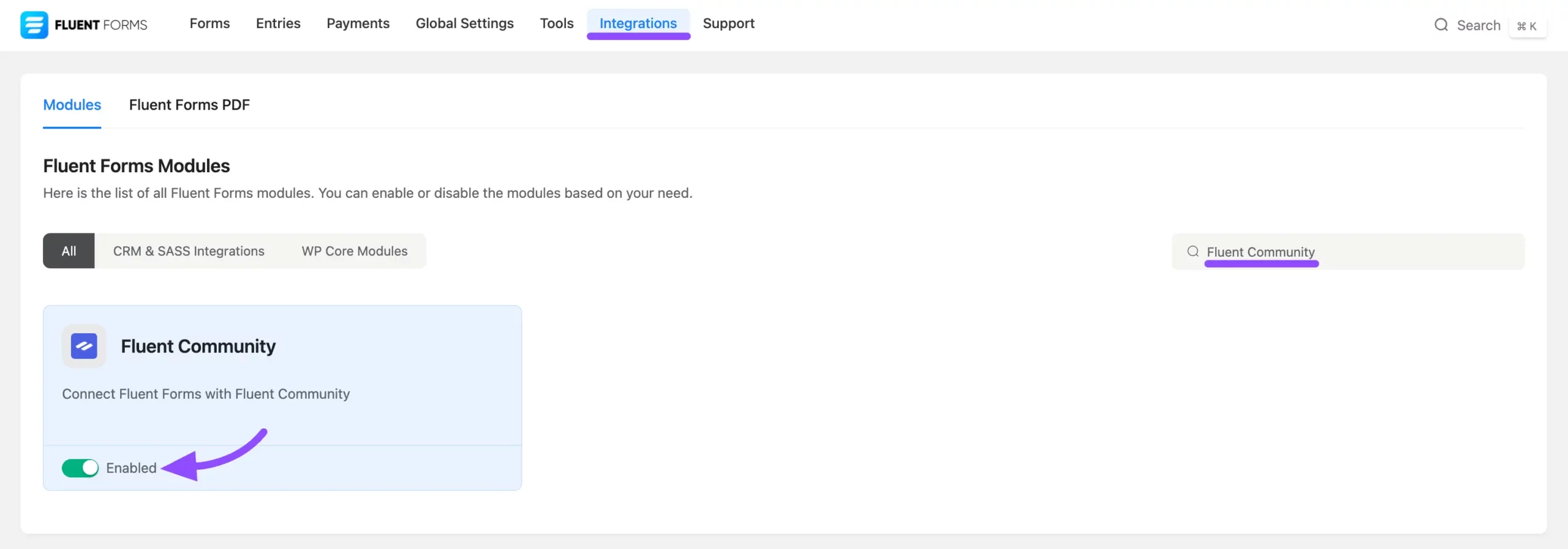
To access the FluentCommunity Integration Feed in your forms, you must activate the FluentCommunity module in Fluent Forms.
Go to the Fluent Forms dashboard and click Integration in the navigation bar. Locate the FluentCommunity module and enable it by toggling the switch.
FluentCommunity Integration Feed
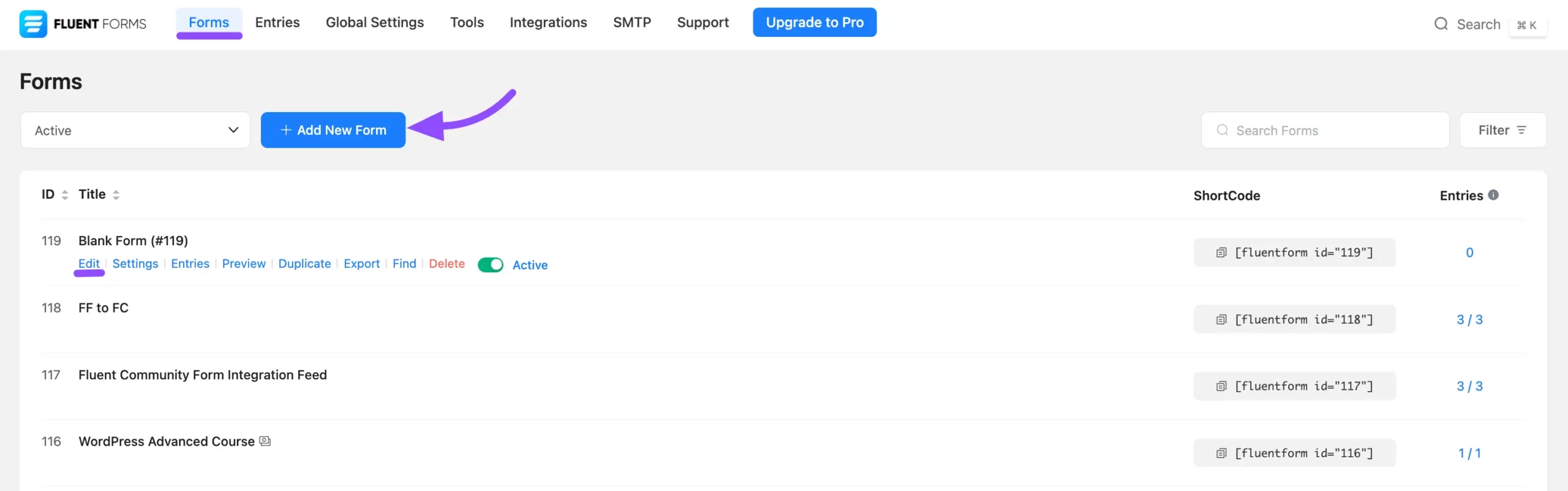
Go to your Fluent Forms and create a new form or use any existing form to integrate. To create a new form, click the Add New Form button.
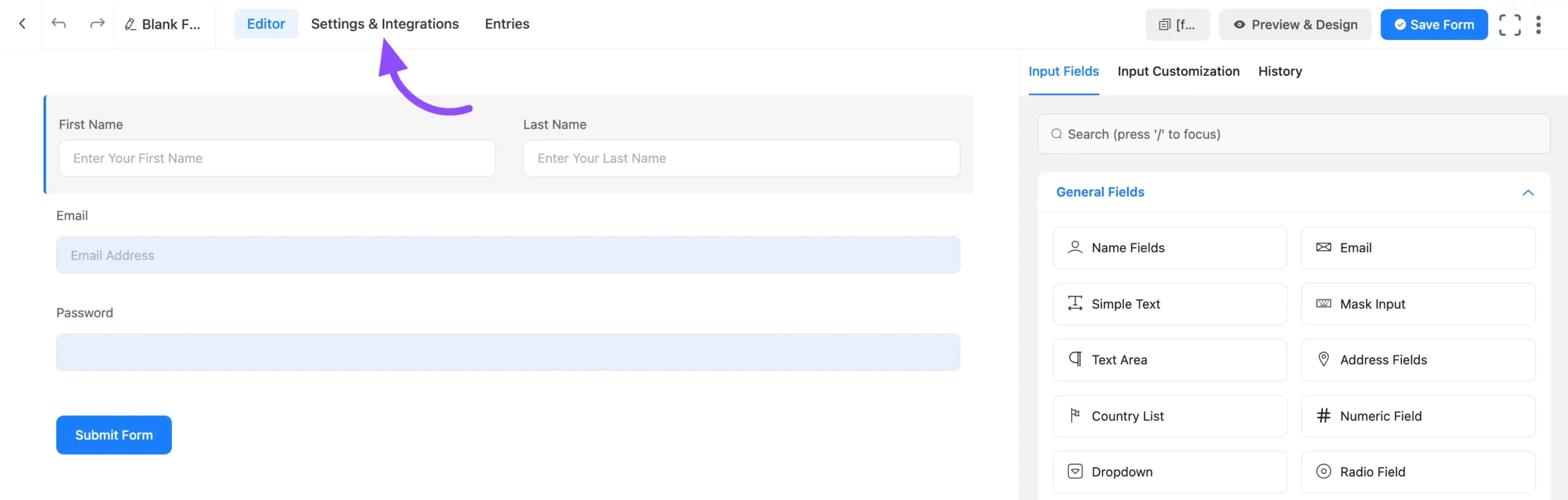
Edit and add the fields your members need, then go to Settings & Integrations for the form.
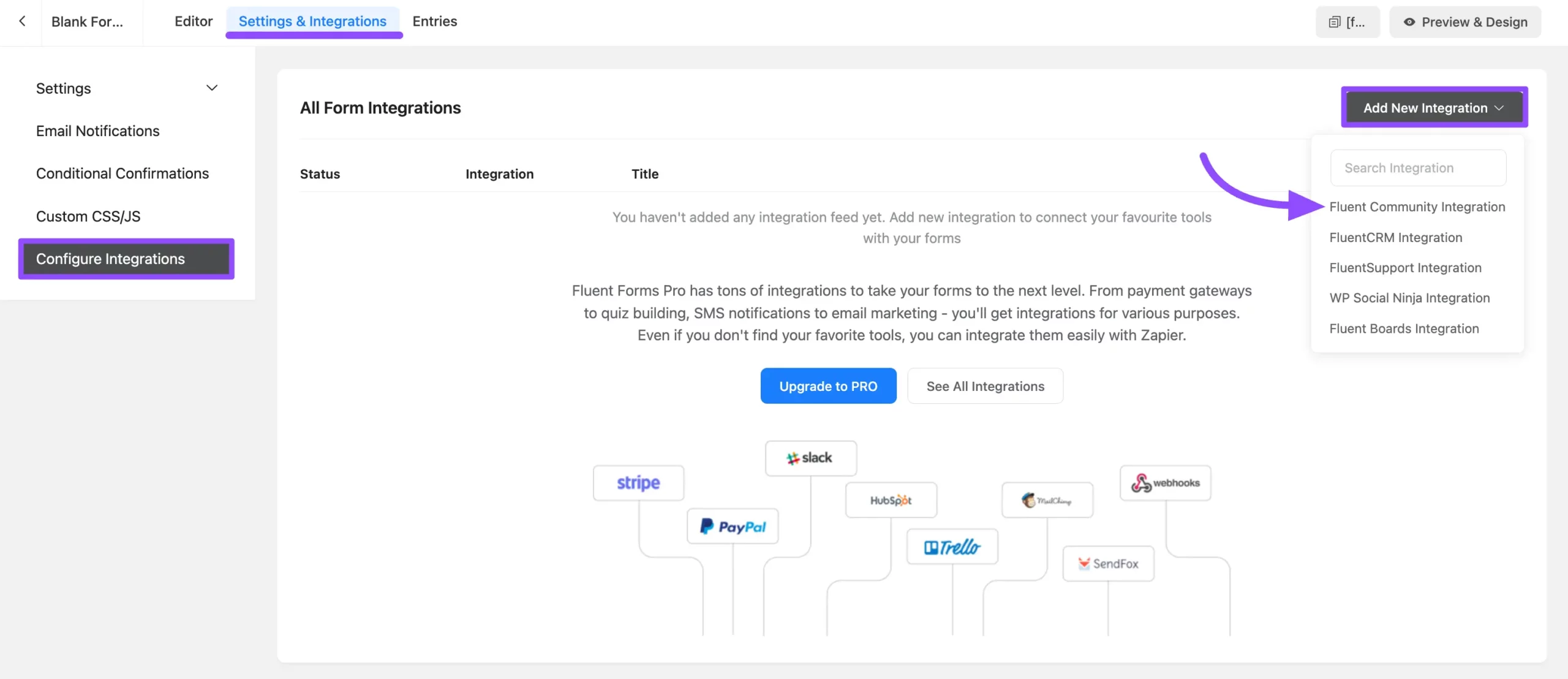
From the left sidebar, click Configure Integration, then click Add New Integration. From the dropdown, select the FluentCommunity Integration Feed.
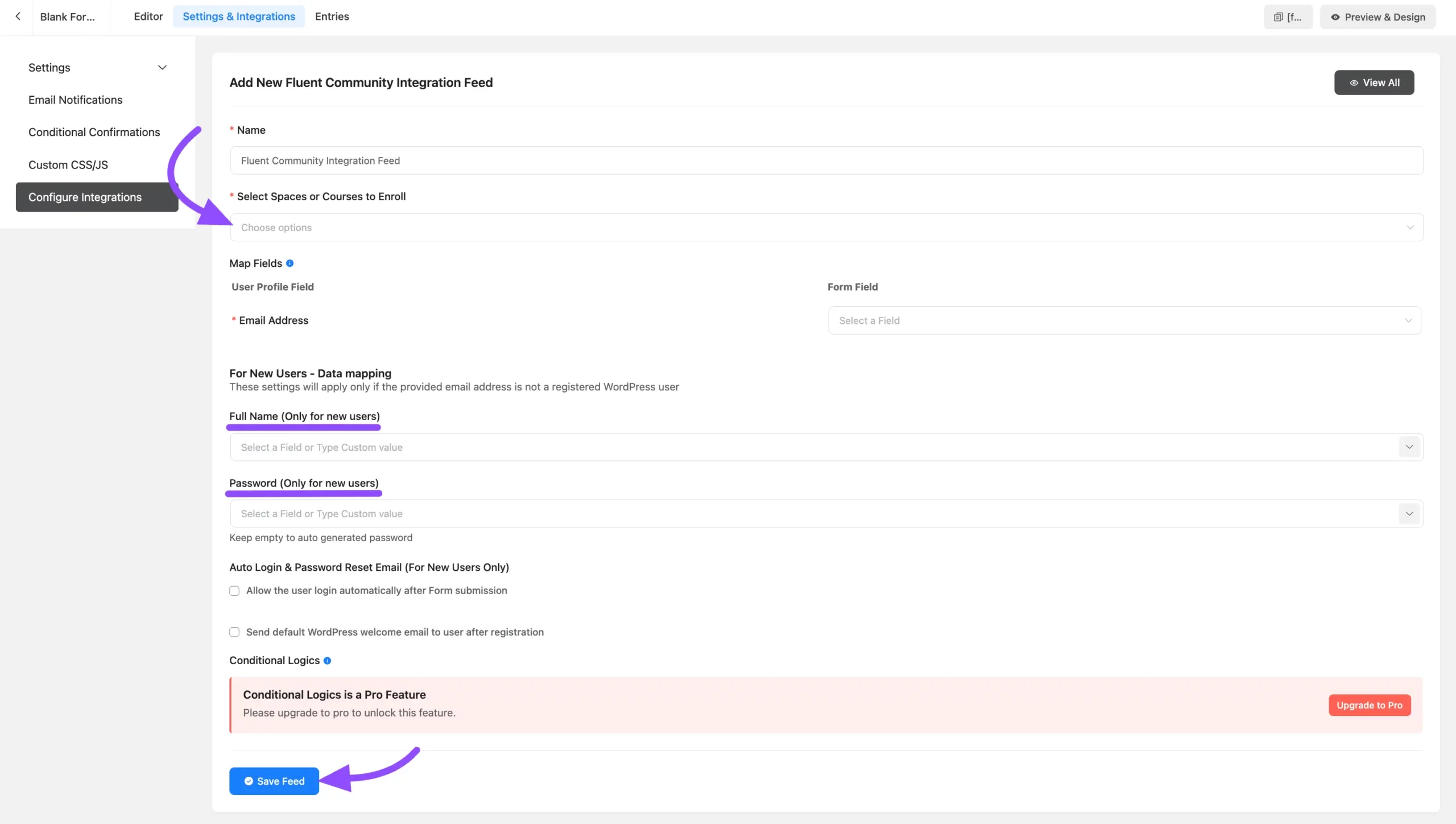
Now you'll see the FluentCommunity Integration Feed. Configure it step by step:
- Name: Provide a name for your feed to easily identify it later.
- Select Space or Course to Enroll: Use the dropdown to select the Space or Course where members will be added. Both Secret Spaces and Secret Courses appear in the list for selection.
Map Fields
- Email Address: Select the email field from the dropdown to map users' email addresses.
For New Users Outside WordPress
- Full Name: Map the name field for new users. You can also use shortcodes for mapping.
- Password: Link the password field from the form to allow users to set a login password for your community. You can also use shortcodes for mapping the password.
Additional Options
- Allow the user to log in automatically after form submission: Check this box to log users in automatically after form submission.
- Send Welcome Emails: Check this box to send WordPress's default welcome email to new users after registration.
Click the Save Feed button to save your configuration.
Publish the form to start adding members to your community Spaces or Courses directly.
INFO
You can use Fluent Forms to enroll users into your FluentCommunity Spaces and Courses upon form submission. While the core integration is free, advanced features like Conditional Logic and the ability to Import Entries require upgrading to Fluent Forms Pro.
For more details on monetizing Spaces and Courses, see Monetizing Your Courses and Monetizing Your Spaces.
That is how the Fluent Forms integration works with FluentCommunity.